
Your loyalty card, in Apple and Google Wallet.
Create a loyalty card for Apple Wallet and Google Wallet in minutes. Customers scan your QR poster, confirm their email and keep the card on their phone, where it can’t get lost.

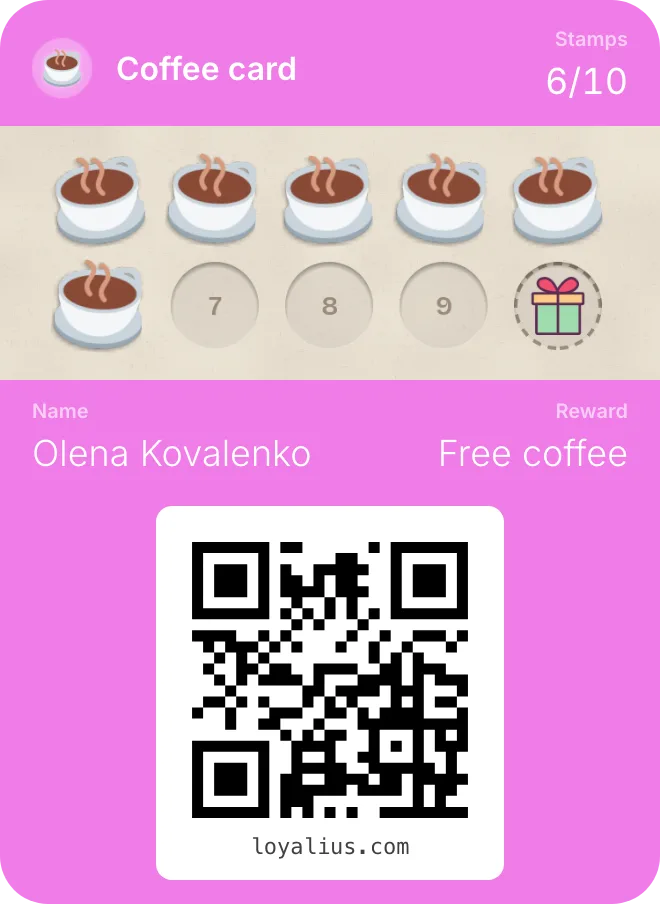
What the card does on their phone.
Updates on the spot
Add a stamp at the till and the same card shows it straight away.
Messages on the lock screen
“One more stamp to go” can show on the card and as a lock-screen notification. The phone decides when. On iPhone, each message needs new text.
Near your shop
Add up to 10 locations. iPhones may quietly show the card when someone is close. No sound, nothing tracked.
A web card for everyone else
Customers without Wallet can use the same card in their browser.
How your customers add it
- They scan the QR poster at your counter with the phone camera.
- They enter and confirm their email.
- They tap “Add to Apple Wallet” or “Add to Google Wallet”, or use the web card.
What you do
- Choose a card name, reward and colours.
- Print the QR poster and put it by the till.
- Scan the customer’s card with any phone. On Growth and up, Dotykačka or Loyverse can add stamps from the receipt.
Wallet questions owners ask us
They scan your QR poster, confirm their email and tap “Add to Apple Wallet”. There’s no Loyalius app to download.
See also: Free card template · Card types
Put your card in their Wallet
Create your card and print the QR poster for your till. Try Loyalius free for 30 days with no payment card needed.